TestFlight on October 16
 Spare ioiPhone
Just enough. Right in view.
A new launcher, a set of glanceable apps and one iPhone companion for RayNeo iO smart glasses.
Unofficial · Source-available, no commercial use
iOS apps can’t be installed from the web; the public beta will be on TestFlight.
Spare io for iPhone
One app. That’s it.
Navigation, music, assistant settings and the glasses link, all in a single iPhone app. Your phone does the heavy lifting; the glasses stay sharp and responsive.
Navigation
Apple Maps routing plus an OpenStreetMap road network
Music
Your Apple Music library, with synced lyrics
Assistant
Pick a backend, bring your own model and key
Link
Bluetooth to the glasses, plus a mock link to try it without them
A new launcher
Turn the crown.
One crown, one rule. Rotate to move focus, click to confirm, long-press for the assistant. No double-clicks, no hidden gestures.
Center · Clock
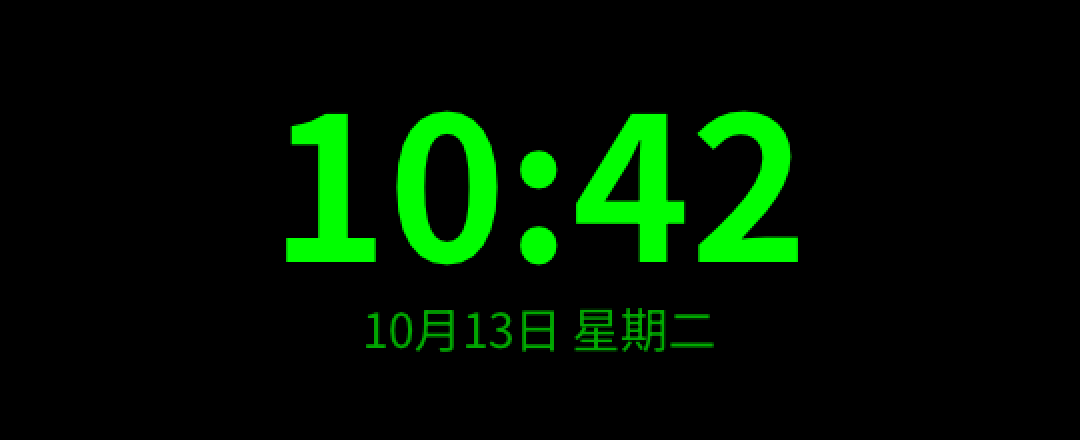
Time and date, sitting quietly in view.
Left · Control center
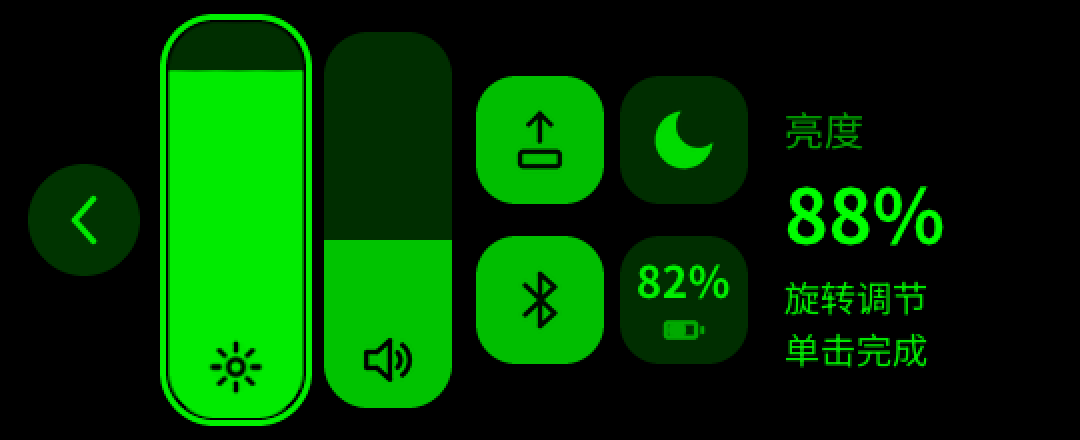
Brightness, volume, Do Not Disturb, Bluetooth and battery, all on the crown. Open it from the clock or from inside any app, and land back where you were.
Right · Apps
A 3 × 2 grid, six icons a page. A spring “bubble” focus glides between icons, neighbours fade, and paging is critically damped. Not one wobble too many.
Same card, in every app.
Click inside any app for three buttons: back, control center, exit. Apps that need the click for themselves can opt out.
Music
Lyrics, right where you look.
Browse the Apple Music library on your iPhone: recents, albums, artists, songs and playlists. Now Playing shows artwork, a progress bar and time-synced lyrics.
- Paged loading with skeleton rows
- Long titles scroll on their own
- A retry pill when the phone is slow
Navigation
There when the turn is.
Routes come from Apple Maps and an OpenStreetMap road network, sent to the glasses as compact vector scenes. Heading-up map, crown zoom, Siri and Shortcuts, and a Live Activity on the phone.
AI assistant
Long-press. Ask.
Long-press the crown on any screen. You get the familiar assistant card on the glasses; you choose who answers.
Choose a backend
Your question goes to the endpoint, model and key you set on the phone: Anthropic, or any OpenAI-compatible API.
Source-available
Every line, in the open.
Clean-room and source-available under the PolyForm Noncommercial licence: study it, use it yourself and contribute; selling it or shipping re-skinned copies needs our permission. C and LVGL v9 on the glasses; the iPhone app ships through TestFlight. The repository contains no vendor firmware, code, images or fonts.
- PolyForm
- Noncommercial licence: no commercial use
- 300k
- fuzz cases for the music protocol
- 4
- glasses modules: launcher, music, navigation, assistant
Expected release
Arriving October 16.
The Spare io iPhone app is expected to open as a public TestFlight beta on October 16. Almost here, stay tuned!